Finding Nerd Fonts in Neovim
I have been writing quite a few presentations in presenterm and was repeatedly going over to the nerd font website to search for the icon that I wanted to pick copying it, then pasting it in neovim. Surely... there is a better way.
Searching through web-based cheat sheets annoyed me so much that I decided to
bring the search directly into Neovim using fzf-lua. There was an existing nerdy.nvim
that looks like it does the same thing. (thanks for the python utility script to get the icon names), but it used
telescope or snacks.nvim for the picker and I use fzf.lua.
The benefit is pretty simple:
- hit a keymap
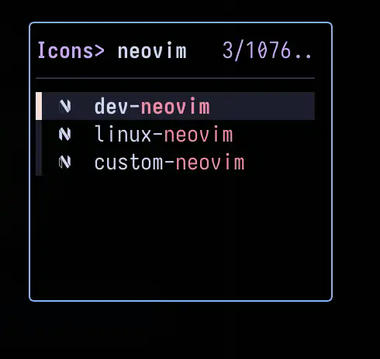
- fuzzy-search for an icon by name
- and drop that bad boy straight into the buffer.
To power this, I added a new utility module in my neovim config, which acts as a comprehensive dictionary of Nerd Font icons (VS Code codicons, Devicons, Font Awesome, etc.). By piping this into fzf-lua, I get a lightning-fast, searchable interface for thousands of symbols.
I hooked a new picker into my fzf.lua config under <leader>fn (Find Nerd-font).
,
and bada-bing, bada-boom...